
Draw Animation - Anim Creator
Banix StudioArt & Design
4.51.30K Reviews
- Version
- 10.8
- Installs
- 10.00M
- Age Rating
- Everyone
Screenshots
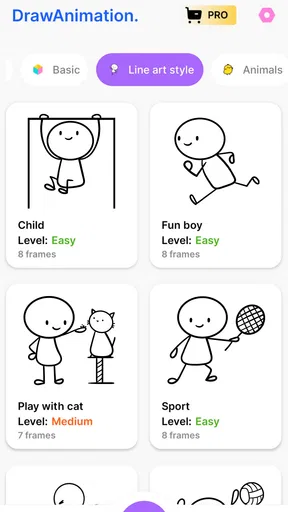
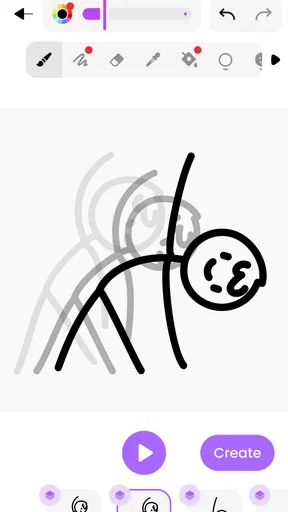
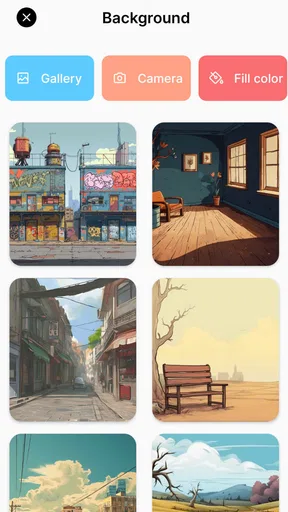
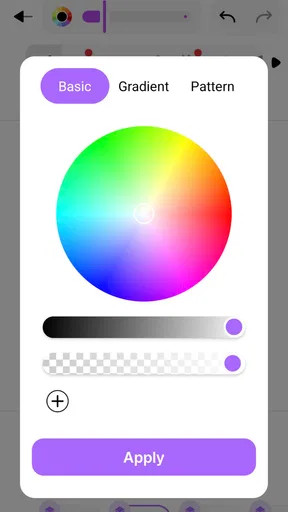
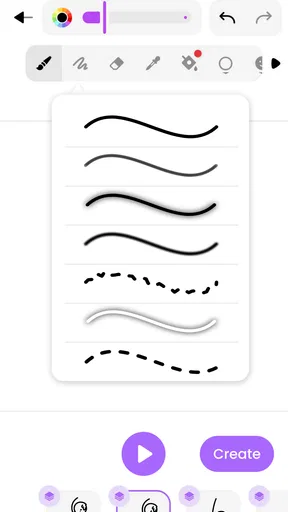
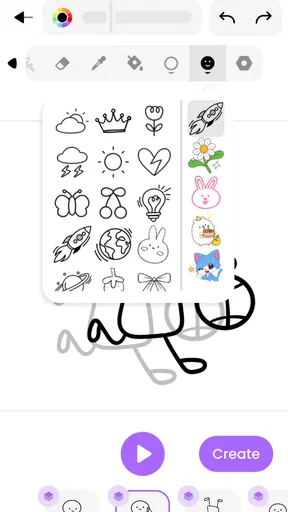
Our Review of Draw Animation - Anim Creator
 Analysis by Appyee
I came away from Draw Animation - Anim Creator with a simple impression: it is a friendly way to make drawings feel active without asking you to learn a full professional animation package first. The app sits in the Art & Design category, and its appeal is easy to understand. You begin with a sketch, add movement, and gradually turn a still idea into something with timing and personality. That sounds straightforward, but the real value is in how approachable the process feels on a phone.
I would recommend it to someone who wants to experiment with animated doodles, short visual jokes, simple story scenes, or social-ready creative ideas without sitting at a desktop. I would not present it as a replacement for a serious frame-by-frame studio. Its strengths are accessibility and immediacy; its limits appear when a project demands very precise control, complex production management, or a large number of carefully organized elements.
What the drawing-to-animation workflow feels like
My first useful discovery was that the app works best when I treat it as a sketchbook with motion rather than as a miniature film studio. That mindset makes the experience much more enjoyable. Instead of planning an elaborate sequence immediately, I start with one clear action: a character waving, an arrow moving toward an object, a face changing expression, or a handwritten word appearing in stages.
This approach suits the app’s central idea. A rough drawing can be more effective than an overly polished one because movement gives it energy. I can concentrate on the important visual change instead of spending too long perfecting every line before anything happens. For beginners, that lowers the emotional barrier to animation. A blank canvas feels less intimidating when the goal is a short, readable action rather than a complete production.
The app is free to install, which makes it easy to try without committing money first. It is rated for Everyone, and the current version is 10.4. It runs on Android devices using version 6.0 or later, so the compatibility range is broad enough for many older phones as well as newer models. Optional in-app purchases range from around one and a half dollars to twenty dollars per item, so I would check the available choices carefully before treating the free experience as the complete toolkit.
Banix Studio has clearly positioned this as an accessible creative app rather than a specialist tool. That decision is reflected in the way I use it: I can open it when I have a quick idea, make a small animated concept, and stop before the project becomes a major commitment. It is particularly pleasant for visual experiments that would feel too minor to justify opening a desktop editor.
Why simple sketches work surprisingly well
The strongest evidence in favor of Draw Animation - Anim Creator is how well it handles the first step in a creative habit: starting. Many animation tools make users think about layers, timelines, export settings, and technical structure before they have even drawn the main subject. Here, the sketch itself remains the focus. That makes the app useful for people who are curious about animation but have previously found professional software too dense.
I also like the way a rough concept can reveal problems early. If a movement is unclear in a simple drawing, polishing the artwork will not solve the underlying issue. Making a quick animated version lets me see whether the direction of an arm, the timing of a reaction, or the order of visual events actually communicates. This is a practical use beyond casual doodling: the app can serve as a planning pad for a larger illustration, video, presentation, or story.
A good workflow is to create the key poses first and resist the temptation to add detail immediately. For example, when animating a character turning its head, I focus on the starting position, the middle transition, and the final look. Only after the movement reads clearly do I refine the face or clothing. This saves effort and exposes weak timing while changes are still easy to make.
Another useful habit is to keep each experiment focused on one idea. A short animation with a single clear action often looks more finished than a longer scene containing several half-developed actions. That is especially important on a phone, where a crowded canvas can become difficult to inspect. Draw Animation - Anim Creator rewards restraint: a small gesture, a moving symbol, or a changing expression can be enough.
Practical uses beyond casual doodles
I can see several everyday situations where the app makes sense. A student could sketch a visual explanation of a science process or animate a diagram before deciding how to present it. Someone planning a short social post could test whether a visual punchline lands when the elements appear in sequence. An illustrator could use it to explore motion before committing to a more detailed project elsewhere.
My favorite realistic scenario is a quick evening idea. I might think of a tiny comic in which a character reaches for a cup, misses, and reacts. Rather than drawing a complete comic strip, I can create the action as a compact animation. The result helps me judge whether the joke depends on timing, facial expression, or the final pose. If the idea works, I have a clearer plan for developing it later; if it does not, I have lost very little time.
It can also help people who learn visually. Reading about animation principles is useful, but moving a drawing makes concepts such as anticipation, pause, and reaction easier to understand. I can exaggerate a motion, compare a fast action with a slower one, and notice how much the feeling changes. That kind of experimentation is more valuable than simply copying a finished example because it encourages observation.
For parents or younger users, the Everyone rating makes the app feel approachable as a general creative activity. I would still encourage an adult to help with any purchase decisions and to set expectations about screen time, but the basic concept is suitable for playful drawing rather than requiring specialist knowledge.
Where it compares well with familiar alternatives
Compared with drawing a sequence of still images in a standard art app, Draw Animation - Anim Creator has a more direct relationship between the drawing and the movement. A regular sketching app may offer stronger painting tools, brushes, or image editing, but it usually leaves the animator to invent a separate method for previewing motion. This app is the better choice when the question is, “How will this drawing move?” rather than, “How can I produce the most refined single image?”
Compared with desktop animation software, the advantage is convenience. I can explore a small idea without setting up a workstation or learning a large interface. The trade-off is depth. Desktop tools are normally better suited to complex scenes, detailed asset management, exact timing, and long projects. If I already know that a piece needs extensive compositing or highly controlled production stages, I would start with a more specialized alternative instead.
It also occupies a useful middle ground between a static drawing app and a full animation suite. That makes it attractive to beginners who want to learn by doing. However, users who already depend on advanced animation workflows may find the simplified approach restrictive. The app’s value is not that it does everything; it is that it makes a particular creative step feel less complicated.
The limitation that matters most
The main weakness is the same quality that makes the app approachable: simplicity can become limiting as ambitions grow. A short sketch animation is easy to imagine, but a longer sequence requires more discipline. You need to keep track of visual consistency, movement continuity, and the relationship between separate actions. On a small screen, those decisions can become tiring, especially when a project expands beyond a few clear moments.
I also find that rough drawing encourages speed, but speed can expose the difference between a fun experiment and a polished result. If I do not plan the beginning and ending poses, the motion may look accidental rather than expressive. This is not a flaw unique to the app, but the accessible interface can make it tempting to start drawing before thinking about timing. My advice is to write down the action in one sentence first. If the sentence is unclear, the animation probably will be too.
Another trade-off concerns expectations around the free version and purchases. The app costs nothing to download, but optional items are available at several price points. That is not automatically a problem, yet anyone looking for a completely unrestricted creative toolbox should examine what is included before investing serious time. I would begin with a small test project and decide whether the free experience meets my needs before buying anything.
Phone-based creation has practical limits as well. A finger is less precise than a stylus or mouse, and a compact display gives less room for judging small details. I can work around that by zooming when needed, using broad shapes, and accepting a deliberately loose style. If the goal is clean technical illustration or highly controlled line work, a tablet-oriented drawing application may be a better companion.
Tips that make the results clearer
My first tip is to animate the silhouette before the details. A moving character should remain understandable even when viewed as a simple shape. I test the main action with minimal lines, then add facial features, clothing, or decoration. This prevents detail from hiding a weak pose and keeps the animation readable on a small screen.
Second, I use exaggerated transitions when a movement feels flat. A tiny change between two drawings can be difficult to notice, while a slightly larger change often communicates immediately. This is especially helpful for gestures such as waving, nodding, bouncing, or turning. The goal is not realism; it is clarity. A sketch animation can benefit from being more expressive than physically exact.
Third, I leave a deliberate pause at the moment that matters. If a character reacts to something, the reaction deserves enough time to register. If a word appears, the viewer needs a moment to read it. Beginners often add more movement when the real solution is to hold an important pose longer. This simple timing choice can make a short animation feel much more intentional.
A fourth workflow tip is to make separate tests instead of endlessly revising one crowded project. I may create one version with fast movement and another with slower movement, then compare the feeling. This is quicker than trying to remember how the earlier version looked. It also encourages experimentation, which is where a beginner-friendly app provides the most value.
Finally, I save the strongest idea in a form I can recognize later. A quick sketch may seem obvious while I am making it, but a week later the intended action may be less clear. A short note describing the motion, mood, or intended audience can turn a disposable experiment into a useful reference for a larger project.
Who should use it, and who should skip it
I think Draw Animation - Anim Creator is a strong fit for beginners, casual artists, students, comic makers, and anyone who wants to test motion without entering a complicated production environment. It is also a good choice for people who enjoy visual journaling. A daily animated doodle can be more expressive than a still sketch while remaining small enough to finish.
It makes sense for an artist who already has ideas but struggles to begin. The app gives those ideas a low-pressure place to move. It is also useful for someone comparing several visual concepts: a few quick animated studies can show which character pose, transition, or reveal deserves further work.
I would skip it as a primary tool if I need professional-level control over a long animation, extremely precise drawing, or a broad pipeline for managing many complex assets. In those cases, a dedicated desktop or tablet solution is likely to justify its extra learning curve. I would also look elsewhere if my main goal is advanced photo manipulation or static digital painting, because animation is the reason to choose this app.
The app has attracted a substantial audience, with an average rating of 4.3 from around seventy thousand ratings and more than ten million installs. Those figures suggest that its approachable concept connects with many users, but they do not change my practical advice: popularity is not a substitute for checking whether the workflow matches your own projects. A person seeking quick animated sketches may be delighted, while a trained animator may outgrow it quickly.
My verdict after using it as a creative sketchbook
Draw Animation - Anim Creator succeeds because it makes motion feel close to ordinary drawing. I do not need to begin with a large production plan. I can sketch a simple idea, give it a gesture, and learn from the result. That immediacy is the app’s clearest strength, and it is why I would recommend it to a friend who wants to try animation without feeling overwhelmed.
Its weaknesses are real: phone drawing is not as precise as working on a larger setup, ambitious projects can become harder to organize, and optional purchases deserve a careful look. The app is also not the right answer for every kind of digital art. Still, those limitations feel reasonable when I judge it by its actual purpose rather than by the standards of professional animation software.
My final recommendation is specific. Choose it if you want a free starting point for animated sketches, visual experiments, short stories, or learning through quick practice. Start with one action, block the key poses, hold important reactions, and add detail only after the motion reads clearly. If that process sounds appealing, Banix Studio’s app is worth trying. If you already need a deep, exacting animation pipeline, treat it as a lightweight idea pad rather than your main studio.
Privacy and Permissions
See what permissions an app requests and how it handles your data.
- Photos/Media/Files
- access USB storage filesystem, read the contents of your USB storage, modify or delete the contents of your USB storage
- Storage
- read the contents of your USB storage, modify or delete the contents of your USB storage
- Camera
- take pictures and videos
- Wi-Fi connection information
- view Wi-Fi connections
- Other
- view network connections, full network access, run at startup, set wallpaper, control vibration, prevent device from sleeping
Verdict
Strengths of Draw Animation - Anim Creator
- Simple frame-by-frame tools make animation easy for beginners.
- Onion-skinning helps align drawings between frames.
- Supports creative experimentation without advanced animation knowledge.
- Useful for planning short clips, GIFs, and basic cartoon sequences.
- A lightweight interface is suitable for quick sketches on mobile.
Limitations of Draw Animation - Anim Creator
- Detailed animations can become time-consuming on a small touchscreen.
- Limited tools may feel restrictive for professional animation projects.
- Managing many frames can be cumbersome in longer sequences.
- Export options may not meet every format or quality requirement.
- Precise drawing is harder without a compatible stylus.
Other Releases by Banix Studio
View All
Live Satellite View, 3D Map
Maps & Navigation3.9
Similar Picks in This Category
View All
Canva: AI Photo & Video Editor
Canva4.8

PENUP – Drawing-sharing SNS
Samsung Electronics Co., Ltd.4.5

Crafto
Kutumb App4.6

Sketchbook
Sketchbook4.1

ibis Paint X
ibis inc.4.5

Adobe Express: AI Photo, Video
Adobe4.6
Frequently Asked Questions
What is Draw Animation - Anim Creator, and what can you create with it?
Draw Animation - Anim Creator is a mobile animation app designed for creating short hand-drawn animations frame by frame. You can sketch characters, objects, and simple scenes, then add movement by drawing changes across multiple frames. It is suitable for beginners who want to experiment with 2D animation, as well as more experienced users looking for a convenient way to plan ideas, create animated clips, or share creative projects from a phone or tablet.
Is Draw Animation - Anim Creator suitable for beginners?
Yes, the app is generally approachable for beginners because its main workflow is based on familiar drawing tools and frame-by-frame editing. New users can start with a blank canvas, create an initial drawing, and add frames to show movement gradually. However, animation still requires patience and practice. Understanding timing, spacing, layers, and frame order may take some time, especially when producing smoother or more detailed sequences.
Does Draw Animation - Anim Creator work offline?
The core drawing and animation features may be usable without a constant internet connection, which is helpful when you want to sketch or work while traveling. Nevertheless, certain functions can depend on the device, app version, or platform, including advertisements, cloud-related options, updates, and sharing services. It is recommended to open the app once while connected to the internet and verify that your projects save correctly before working offline for an extended period.
Can animations made in Draw Animation - Anim Creator be saved or shared?
The app is intended to let users preserve their animation projects and share finished creations, although the exact export formats and available sharing options can vary between Android and iOS versions. Before starting an important project, check the export menu and confirm whether you can save an animated video, GIF, image sequence, or project file. Also keep a backup of valuable work, since uninstalling the app or clearing its data could remove locally stored projects.
Are there ads, in-app purchases, or limitations in Draw Animation - Anim Creator?
Depending on the version installed and the platform, Draw Animation - Anim Creator may include advertising, optional purchases, or restrictions on certain tools and export features. Free access can still be enough for learning and making simple animations, but advanced brushes, additional controls, removal of ads, or higher-quality exports may require payment. Review the app-store listing and purchase screen carefully before confirming any transaction, particularly if the device is shared with children.
